Create, promote, and launch a webinar: the complete 2026 guide
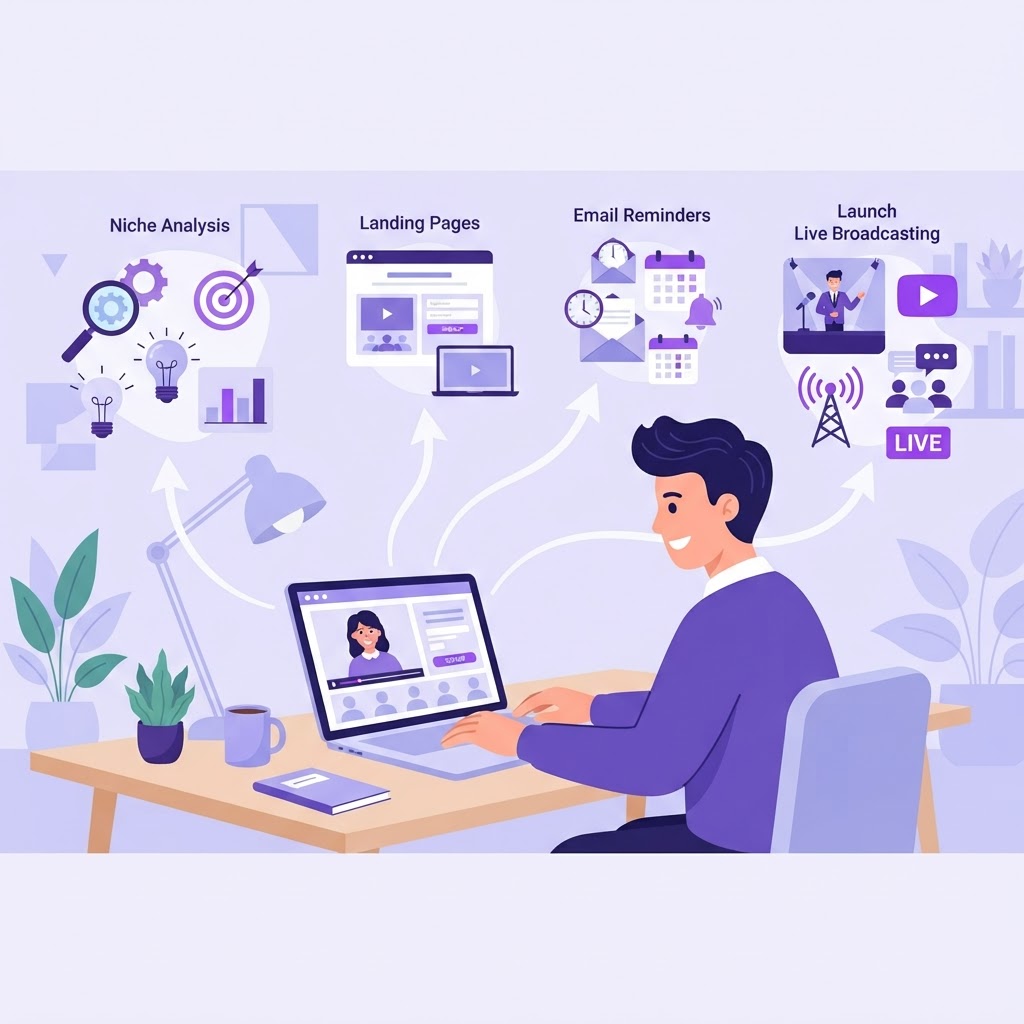
Creating, promoting, and launching a webinar is a journey that demands method. Too many entrepreneurs excel at one part but neglect the others, and their webinar goes unnoticed. This complete 2026 guide walks you from niche idea to live broadcast, step by step.
The three pillars of a successful webinar
A webinar that converts rests on three pillars: solid creation (the content), effective promotion (the audience), and mastered launch (the broadcast). Neglecting any single pillar is enough to compromise the other two. The best content without promotion reaches no one. The best promotion without content doesn't convert. And the best preparation without a mastered broadcast falls apart on the day.
The method we present here is what WebinarForge automates with AI, but it can be followed manually. Each step is independent: you can apply it with or without a tool.
Phase 1: Create your webinar
Validate your niche before building
The first mistake is building a webinar on an unvalidated niche. Before writing a single slide, ask yourself three questions:
- •What specific problem does my audience want to solve?
- •Is this problem intense enough to justify a webinar?
- •Is my audience accessible and ready to register?
A good webinar targets a specific problem for a specific audience. "How to find your first 5 premium clients in 6 weeks as a freelance consultant" is a webinar topic. "How to succeed in life" is not.
Build your offer
Your offer is the heart of your webinar. It includes:
- •A main promise: the transformation you guarantee.
- •A hook: the phrase that grabs attention.
- •A pricing structure: a clear, justified price.
- •Bonuses: to increase perceived value.
- •A guarantee: to reduce perceived risk.
A clear offer makes the registration decision obvious. A vague offer creates hesitation and kills conversion.
Structure your webinar plan
A well-structured webinar follows a 5-part plan:
- •Introduction (5 min): who you are, the promise, the rules.
- •Problem (10 min): your audience's problem.
- •Method (25 min): your solution in 3 to 5 steps.
- •Proof (15 min): results, testimonials, demonstrations.
- •Offer (10 min): presentation, bonuses, urgency, call to action.
Each part has a role: hook, create empathy, deliver value, prove, and convert. Skip a part and your webinar loses effectiveness.
Create your materials
Your materials include your presentation (slides), your lead magnet (free PDF), and your ad visuals. Each material must be consistent with your offer: same promise, same hook, same vocabulary.
Inconsistency between materials creates confusion. A visitor who sees a different promise on your ad, your landing page, and your presentation doesn't understand what you offer and doesn't register.
Phase 2: Promote your webinar
Create a landing page that converts
Your landing page is the entry point for your registrants. It must answer 4 questions in under 30 seconds:
- •What will I learn? (clear promise)
- •Why now? (urgency or reason)
- •Is it worth my time? (program and benefits)
- •How do I register? (simple form)
A form with name and email is enough. Each additional field divides your registration rate. Friction is the enemy of registration.
Use multi-channel for your registrations
Don't depend on a single channel. Combine:
- •Your email list: your most qualified channel.
- •Social media: organic and paid.
- •Communities: Facebook groups, Discord, LinkedIn.
- •SEO: your blog and your content.
- •Word of mouth: your registrants share the link.
Each channel has a different cost and return. Test multiple channels in parallel and identify those that bring the most qualified registrants for the least effort.
Set up your email reminders
30% of registrants sign up the day before. Without reminders, you lose half your audience. Prepare at least 3 reminders:
| Reminder | When | Goal |
|---|---|---|
| Reminder | 24h before | Remind date and link |
| Start | At beginning | "The webinar is starting now" |
| Replay | 48h after | Share replay with absentees |
Reminders increase attendance by 40 to 60%. It's the most profitable action of the launch, and the most forgotten.
Phase 3: Launch your webinar
Prepare the technical broadcast
Before the day, test your video conferencing tool, your connection, and your presentation. Have a plan B in case of problems.
- •Test the tool in real conditions 48h before.
- •Check your mic, your camera, your connection.
- •Prepare a mobile hotspot as backup.
- •Do a full dress rehearsal.
A technical bug live makes 30% of the audience leave in 5 minutes. A 30-minute rehearsal prevents it.
Animate the live
During the live, your role is twofold: deliver value and maintain engagement.
- •Ask questions in the chat to create interaction.
- •React to comments to show you're present.
- •Maintain the pace: change slides every 2-3 minutes.
- •Announce the offer at the midpoint to set the stage.
Engagement is the strongest signal that your audience is interested. The more they interact, the more likely they are to convert.
Convert with your offer
The offer presentation is the most important moment. Be clear, direct, and confident.
- •Recap the promised transformation.
- •Present the price and its justification.
- •Announce bonuses and guarantee.
- •Create urgency (deadline, limited seats).
- •Call to action and stay for questions.
Don't minimize your offer. Present it as the logical continuation of the value you just delivered.
Track your results
After the webinar, track your key metrics:
| KPI | Description |
|---|---|
| Views | Landing page view count |
| Registrants | Number of registered people |
| Registration rate | Registrants / Views |
| Attendees | Number of people present live |
| Attendance rate | Attendees / Registrants |
| Conversions | Number of offer conversions |
| Conversion rate | Conversions / Attendees |
| Revenue | Total revenue |
This data lets you learn for your next webinar. Each webinar is an opportunity to optimize the next.
The AI advantage for creating, promoting, and launching
Creating, promoting, and launching a webinar takes time. Each step can take hours, even days. AI changes the game by automating repetitive tasks:
- •Niche analysis: AI evaluates your idea's viability in seconds.
- •Offer building: AI generates promises, hooks, and bonuses.
- •Webinar plan: AI structures your presentation in 5 parts.
- •Visuals: AI generates your multi-format ad images.
- •Documents: AI creates presentations, lead magnets, and one-pagers.
- •Reminders: AI writes your reminder emails automatically.
With WebinarForge, the journey from idea to launch takes 30 minutes instead of 2 weeks. AI does the repetitive work, you keep control over quality and voice.
Conclusion
Creating, promoting, and launching a webinar is a complete journey that demands method. Each phase is important: creation without promotion reaches no one, promotion without creation doesn't convert, and preparation without mastered broadcast falls apart. The method presented here is proven: it works for coaches, trainers, and entrepreneurs who want to launch their webinar without starting from scratch. Take the time to follow each step, and your next webinar will convert.
Ready to build your webinar?
Turn your idea into a structured project with WebinarForge.